
Also called service areas
Catchment maps
Catchment maps show coverage areas around sites or within service boundaries. MapCrafter displays prepared polygons with fills, outlines and labels. The examples include illustrative distance rings and territories; the current studio does not calculate buffers or travel-time areas from points.
What a catchment area map is
Prepare polygons in a GIS, buffer or travel-time tool, then import them as GeoJSON, KML or zipped Shapefile. Include a site name, radius or travel time as attributes so the map can explain each area.
Use partial opacity to reveal overlapping coverage. Distinct classes and outlines can separate inner and outer rings without making the entire area opaque.
A distance ring measures straight-line reach. It does not account for roads, terrain, access restrictions or congestion. Name the method and avoid presenting an illustrative ring as a measured drive-time catchment.
Use it when
- Prepared service-area or territory polygons
- Showing overlaps and gaps in a documented coverage model
- Comparing supplied distance or travel-time bands
Reach for something else when
Do not treat a circular buffer as a travel-time result. Calculate network catchments outside this studio when road access is part of the question.
Catchment maps examples
6 live maps, each listing its source format, its columns and the provenance of the data.
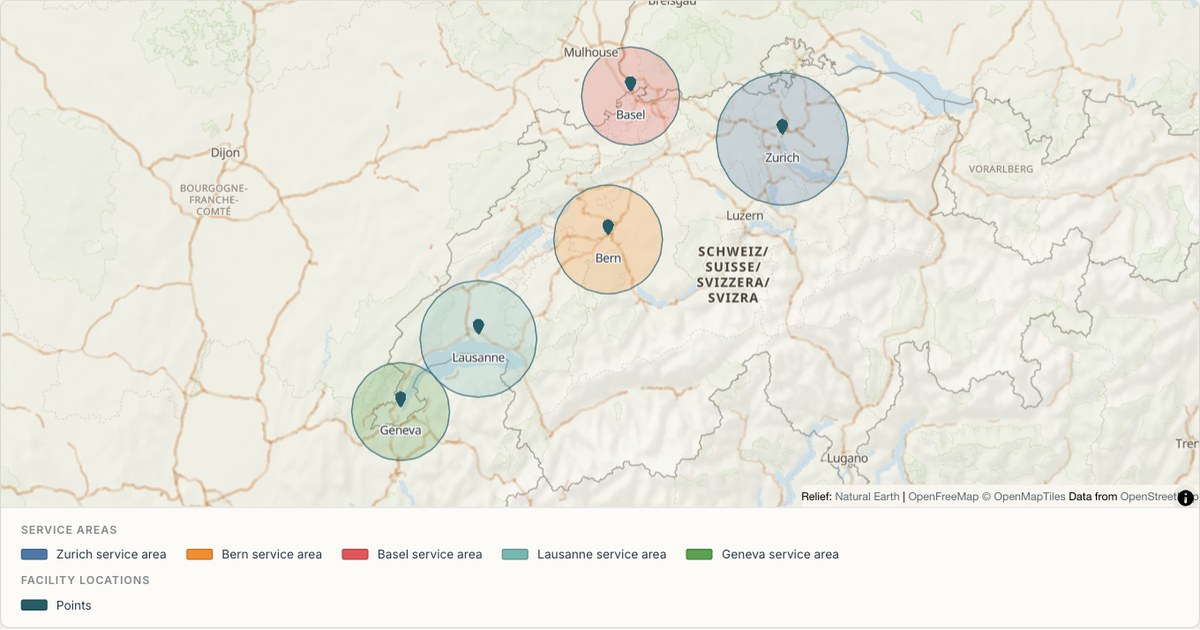 CSVFacility catchments
Hospital catchment areas
Catchment polygons drawn around facility points. Catchments are the most common polygon a non-GIS user needs, and generating them from a radius is faster and more reproducible than tracing boundaries by hand.
Open map →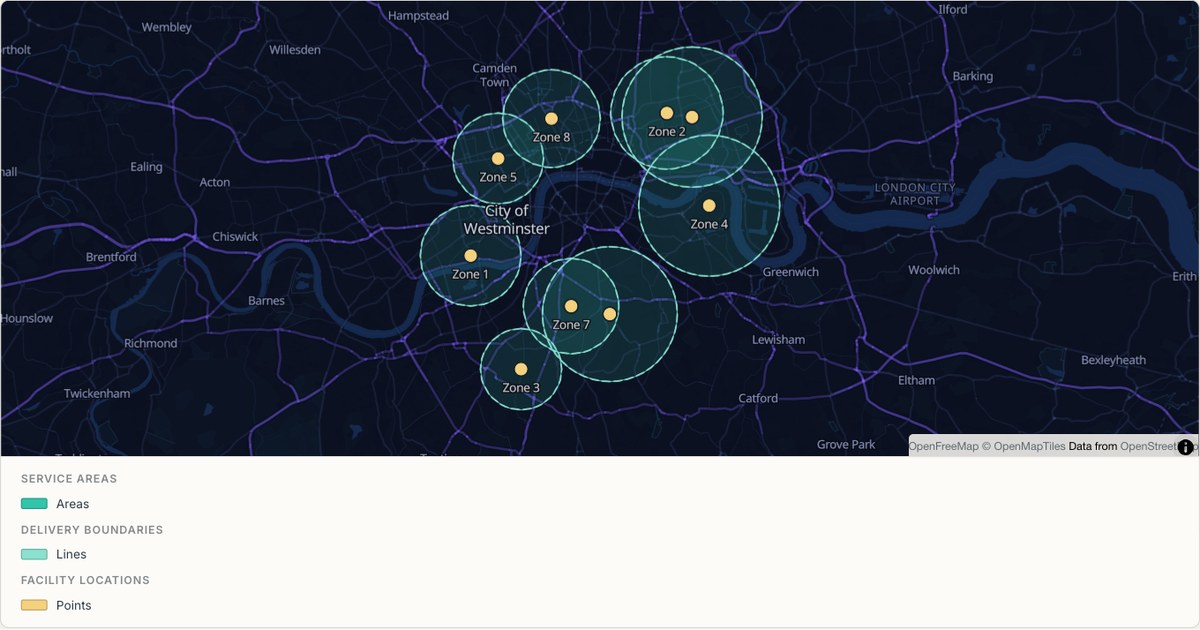 GeoJSONDashed coverage zones
Delivery zones with overlaps
Overlapping zones drawn at partial opacity on a dark basemap. Where two zones overlap the fill deepens, which turns a coverage map into a map of contention without adding a single extra layer.
Open map →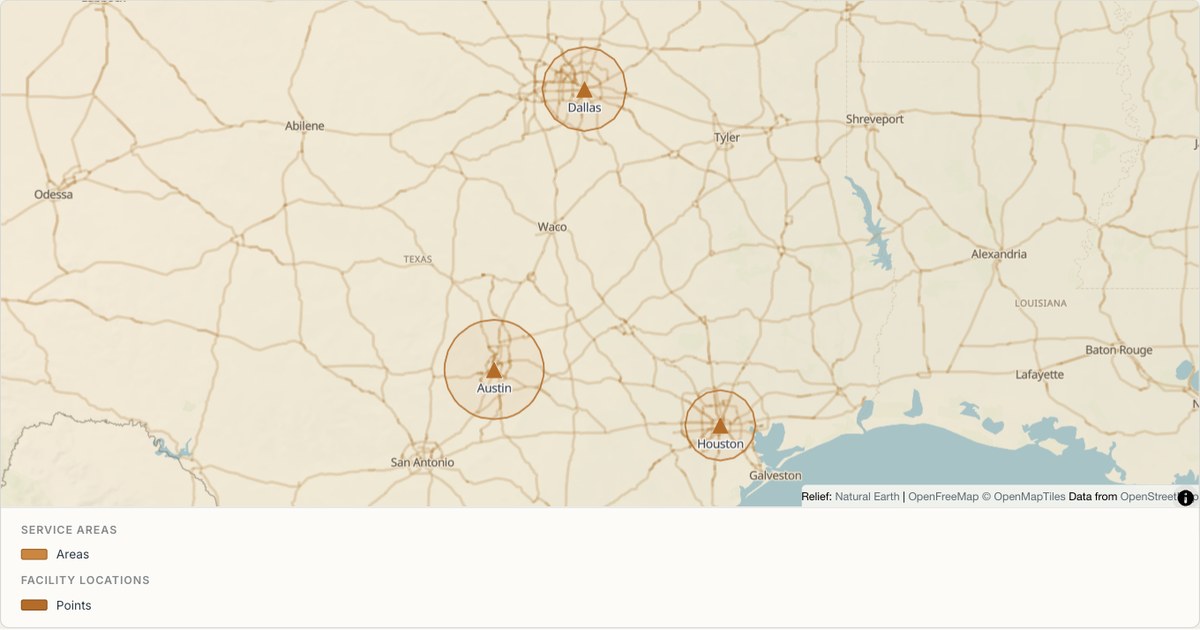 KMLOutline buffers
School catchments across Texas
Large rural catchments with a wide radius variation, imported from KML. At this scale a fixed radius would be wrong for both a city district and a rural county, so the radius is read from the data.
Open map →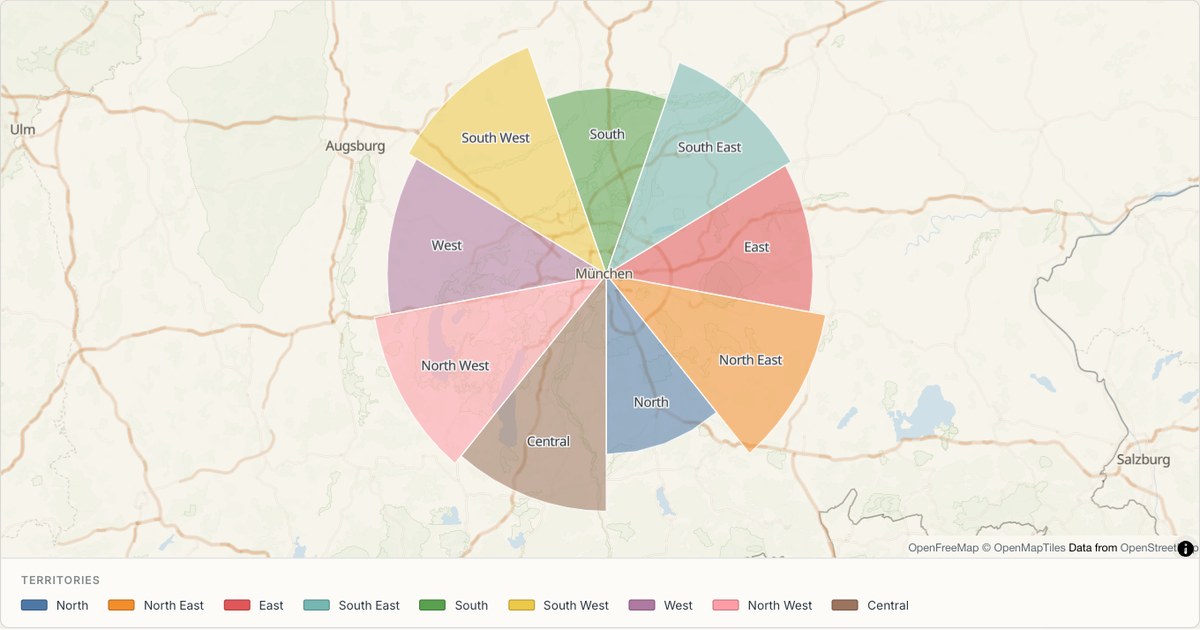 ExcelTerritory map
Sales territories around Munich
Wedge-shaped territories sharing exact edges, coloured by category with revenue in the popup. Shared edges are what make a territory map look designed: independently drawn polygons leave slivers and overlaps that read as sloppiness.
Open map →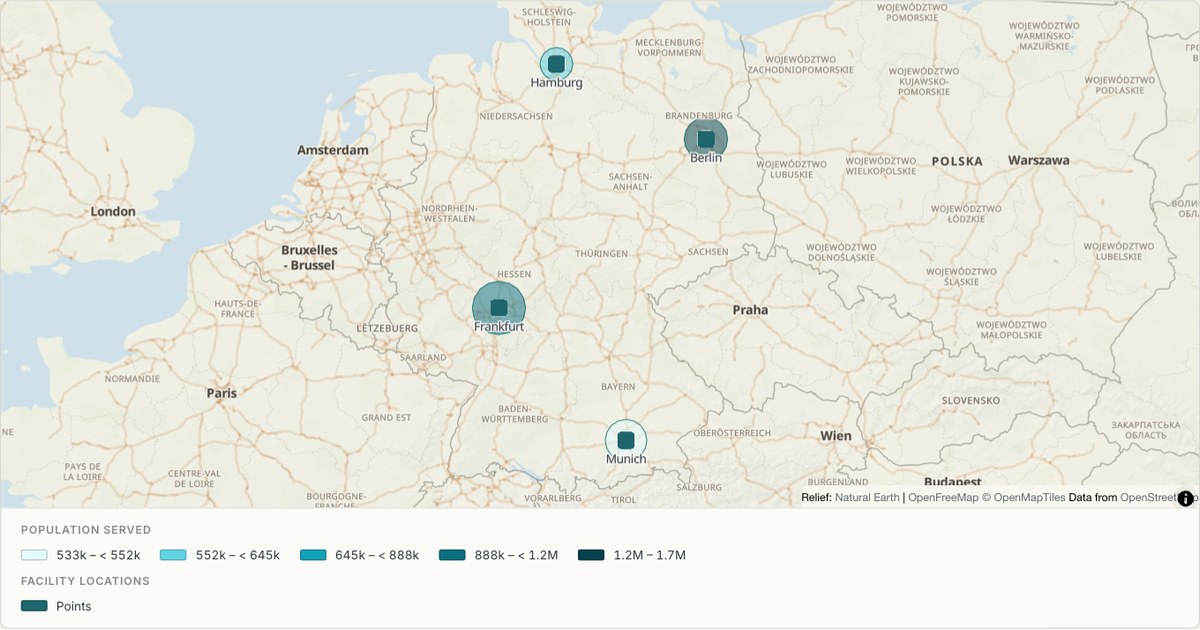 ShapefileService areas
Urban areas from a zipped Shapefile
A Shapefile arrives as a folder of files that has to be zipped before it can be sent anywhere. MapCrafter reads the zip directly, pairing the .shp geometry with the .dbf attribute table and honouring the .prj projection if one is present.
Open map →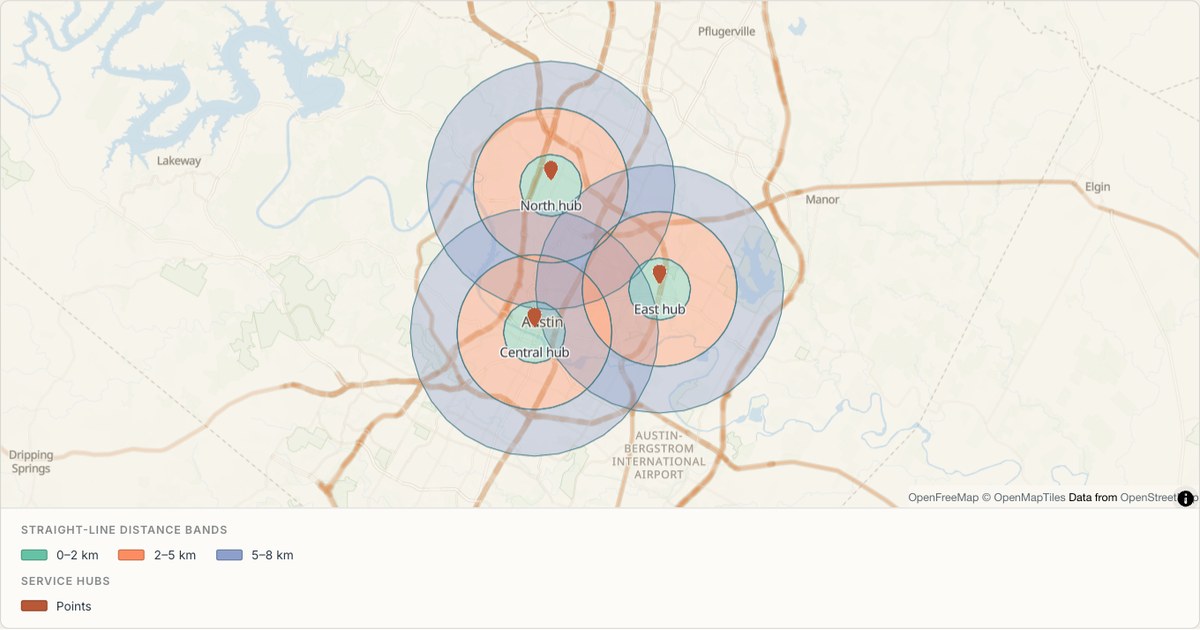 GeoJSONDistance bands
Distance bands around Austin service hubs
Three distance bands distinguish local, intermediate and extended reach around each service hub. The outer rings have holes, so colours do not stack within a single hub. These are straight-line distance buffers and do not represent driving times or official service boundaries.
Open map →
catchment area map questions
- Can I enter a radius to create catchments?
- Not in the current studio. Generate buffer polygons first, then import and style them. The gallery’s circles and rings are prepared demonstrations.
- Can I show different area sizes?
- Yes, by importing polygons of those sizes. Their attributes can explain the radius or travel time used to construct each one.
- Does a catchment map show drive time?
- Only when the source polygons were calculated using a travel-time model. Straight-line rings do not provide that analysis.