
Also called continuous heat, dots and cell binning
Heat maps
This collection shows three ways to reveal concentration: smooth point heatmaps, dot patterns and coloured hexagon or square cells. In the studio, choose Heatmap for a point layer. Binned examples use prepared polygon geometry; the studio does not generate a hexbin grid from points.
What a heat map is
A smooth heatmap blends point contributions using a screen-space radius. Adjust radius, intensity, opacity and an optional numeric weight. Its colours show relative concentration, not a count per square kilometre.
A dot map keeps individual points visible. In a statistical dot-density map, state what each dot represents; a synthetic demonstration is not a census record.
Hexagon and square examples use polygons with values already attached. Compute those cells in a GIS or analysis tool, then import and colour their numeric property. Cell size and aggregation method should be stated on the map.
Use it when
- Patterns of point concentration matter more than individual locations
- A numeric weight makes some observations contribute more
- Prepared cells summarise observations using a documented method
Reach for something else when
Use pins when exact positions matter. A smooth hotspot is relative and depends on zoom and radius; it is not a measured service boundary or an absolute density estimate.
Heat maps examples
8 live maps, each listing its source format, its columns and the provenance of the data.
 CSVHexbin
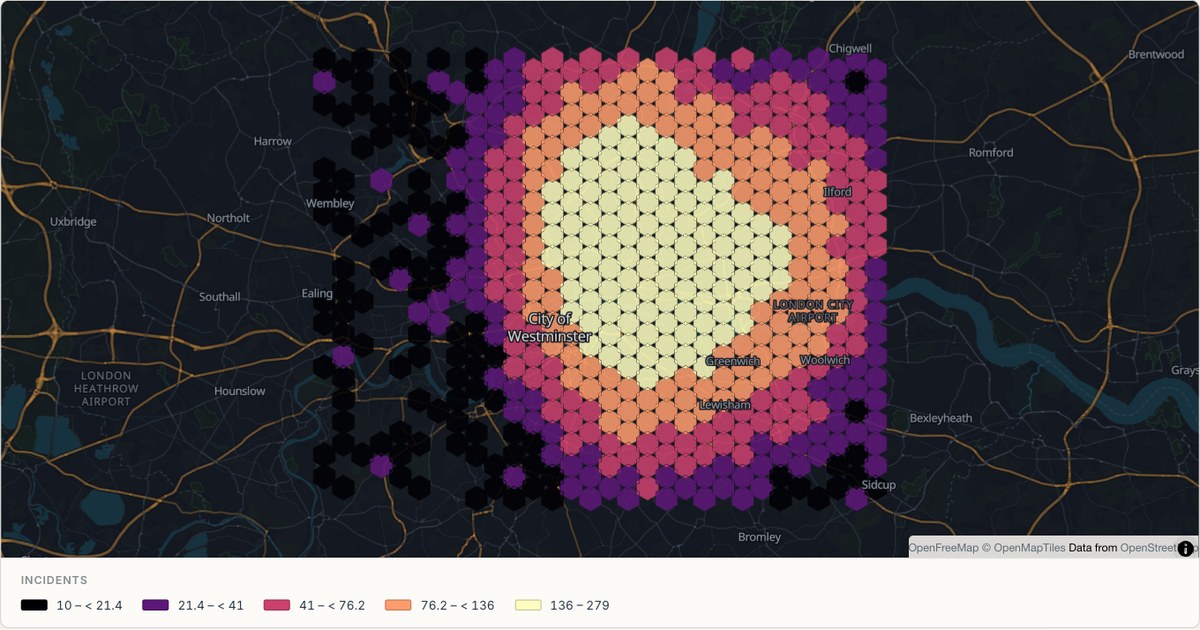
Binned density over London
Ten thousand observations would overplot into a solid blob. Binning them into hexagons aggregates first and colours second, which is the only way a reader can see where a dense point dataset actually concentrates.
Open map →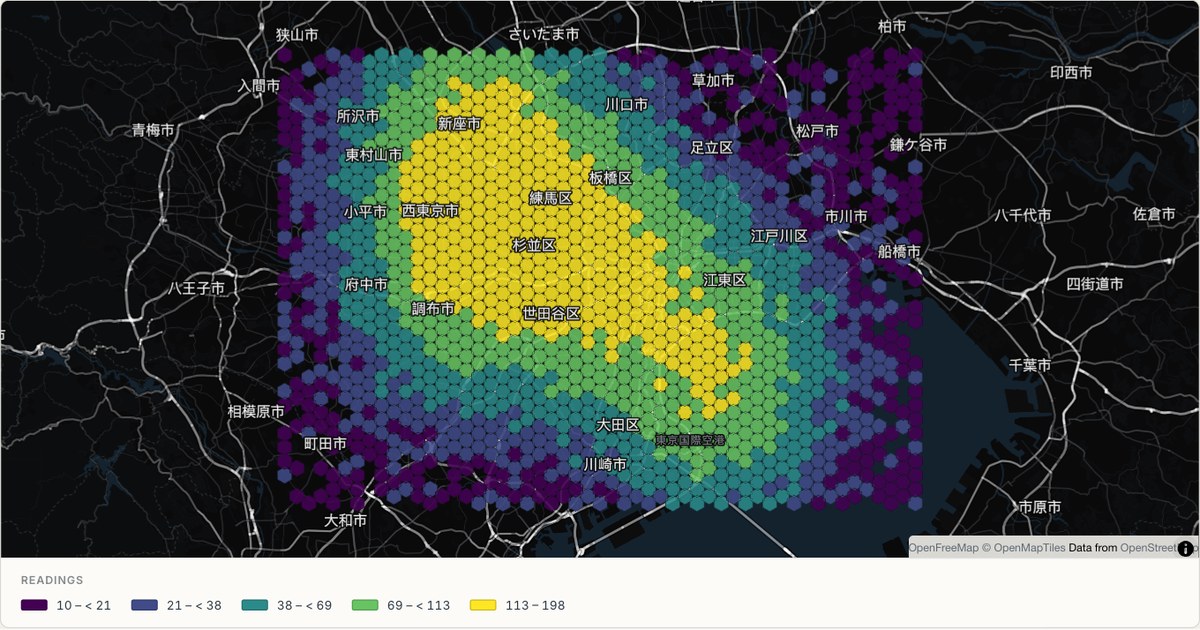 CSVHexbin
Tokyo binned density
A dark-theme hexbin over the Kantō plain, with the highest-value cells reaching a pale yellow. On a dark basemap the ramp has to run towards light, because a dark-to-dark ramp has nowhere left to go.
Open map →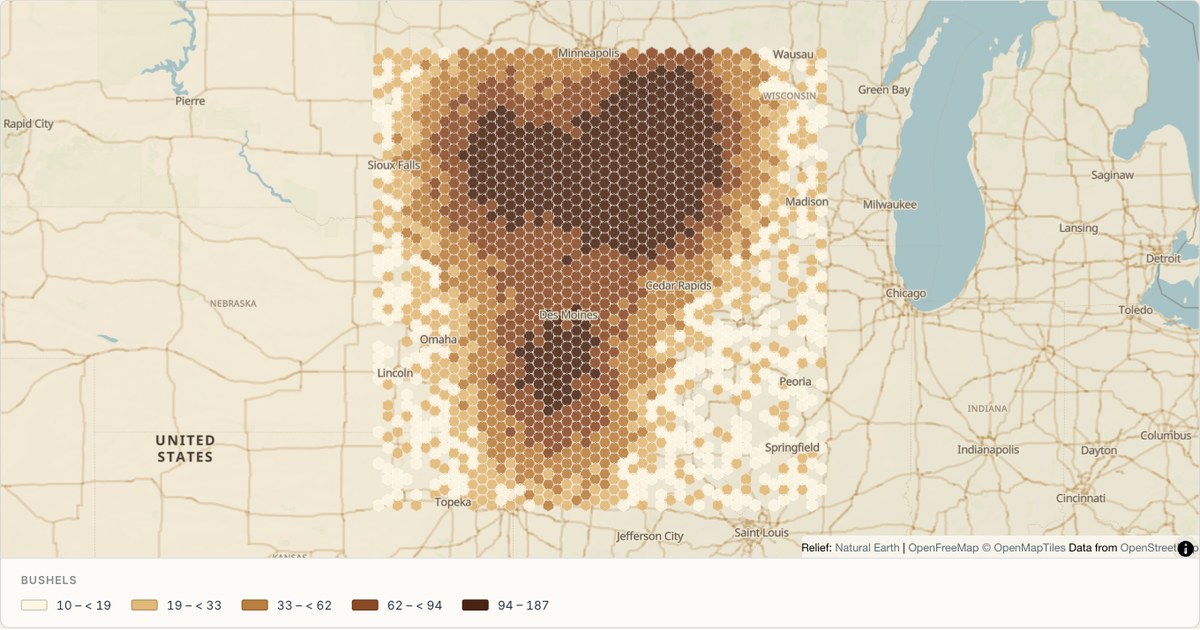 GeoJSONHexbin
Agricultural survey bins
A wide, sparse region binned at a coarse cell size. Cell size is the single most consequential choice in a binned map: too small and the pattern dissolves into noise, too large and the structure vanishes into a single blob.
Open map →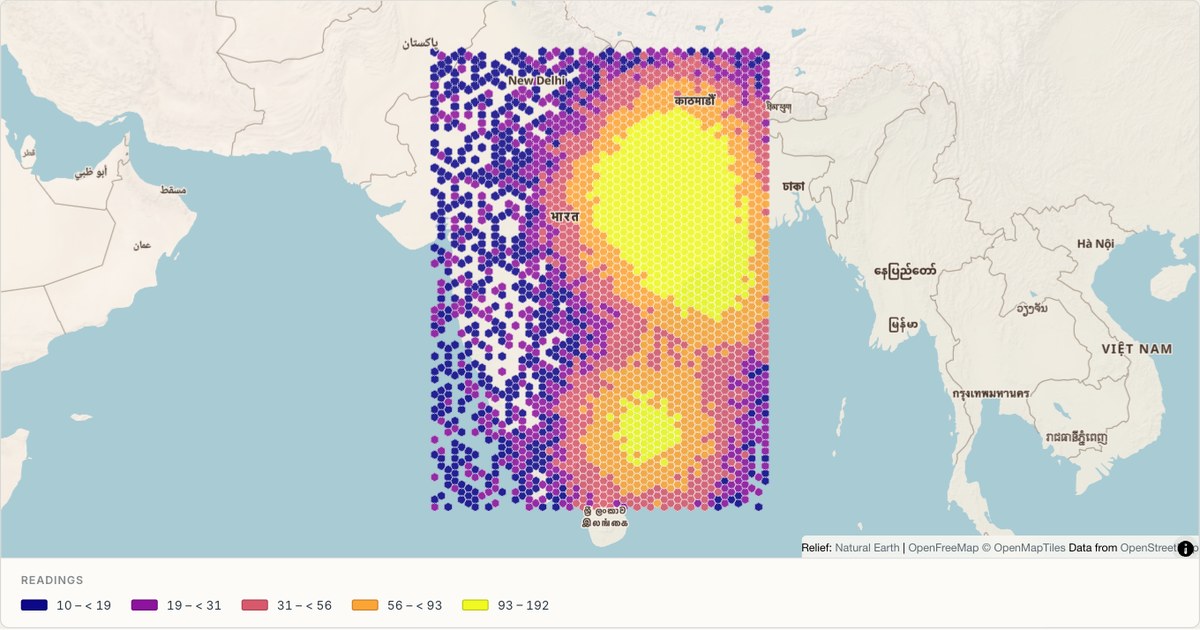 CSVHexbin
Binned density across India
Binned observations over a large, irregular landmass. Because cells are generated in geographic space, a binned map over a wide latitude range needs its cell size expressed in kilometres, not degrees.
Open map →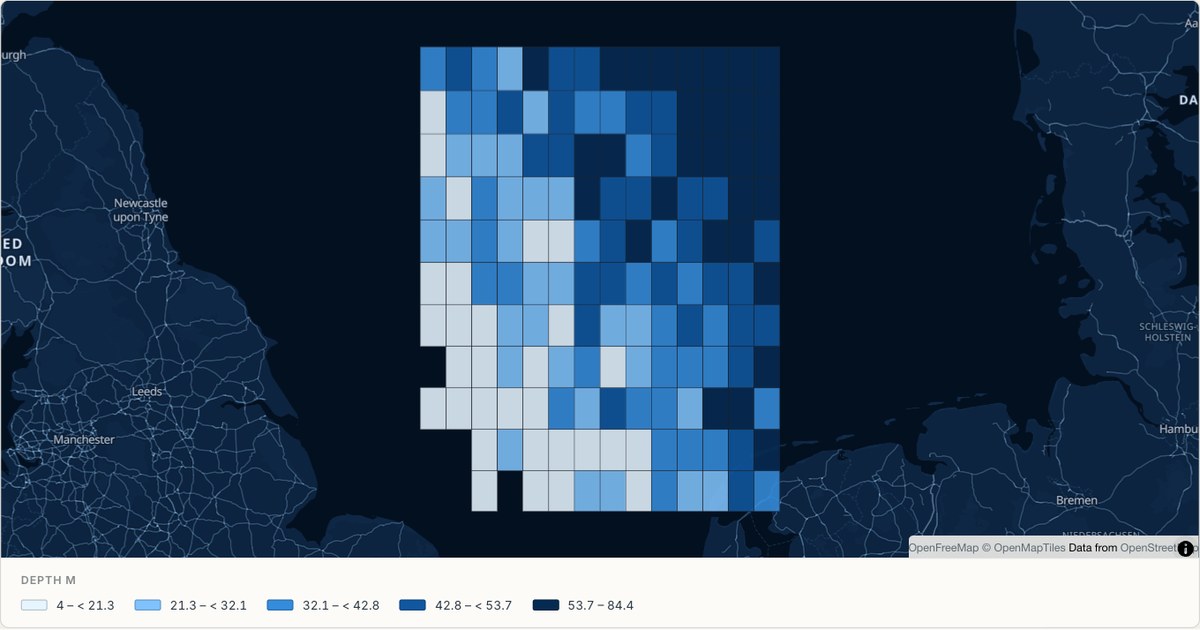 CSVSurvey grid
A bathymetric survey grid
Square cells for a survey where the measurement grid itself is square. Squares are the honest choice when the sampling geometry is square; hexagons are the honest choice when it is not. The grid should look like the method.
Open map →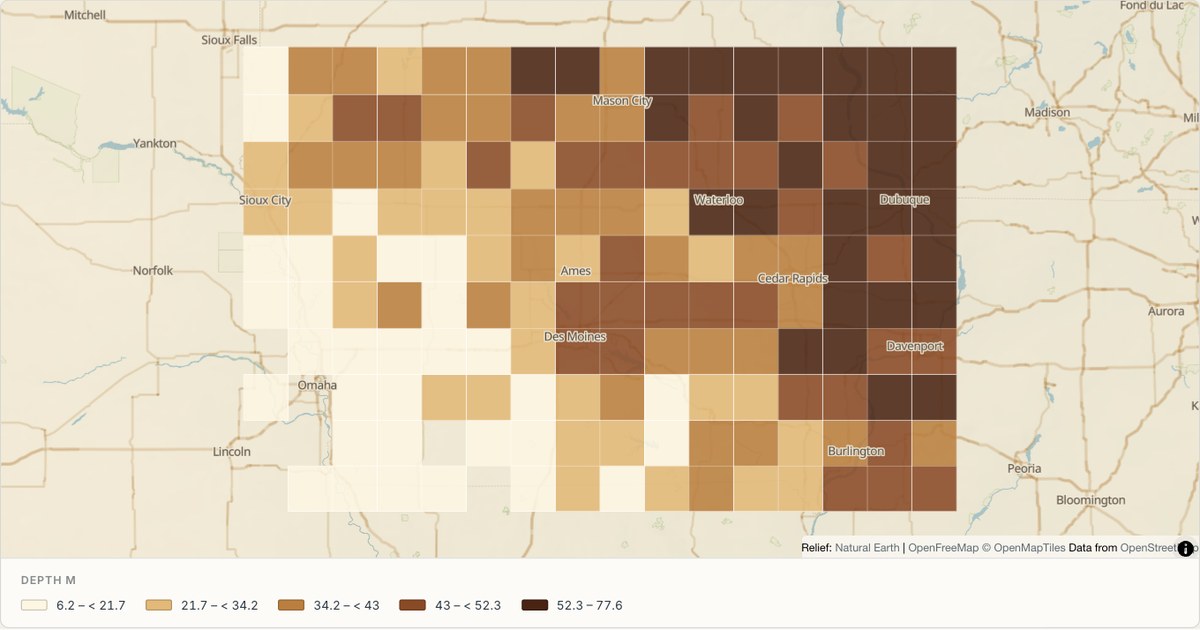 CSVSurvey grid
Soil samples on a survey grid
A regular sampling grid with a diagonal gradient, drawn with hairline cell borders. Borders between adjacent cells of the same class add visual noise, so they are drawn at the minimum width that still separates classes.
Open map →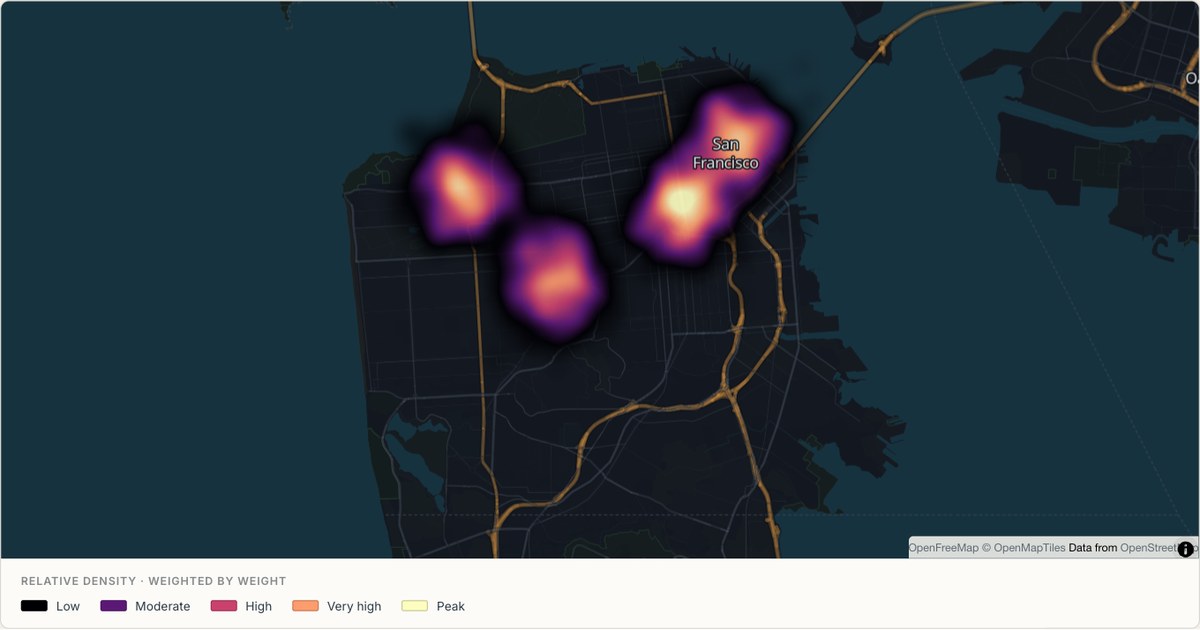 GeoJSONContinuous heatmap
Continuous heat across San Francisco
Weighted source points blend into a continuous density surface instead of separate grid cells. The colour shows relative concentration at the current zoom, while the radius and intensity remain editable in the studio. All observations in this example are simulated.
Open map →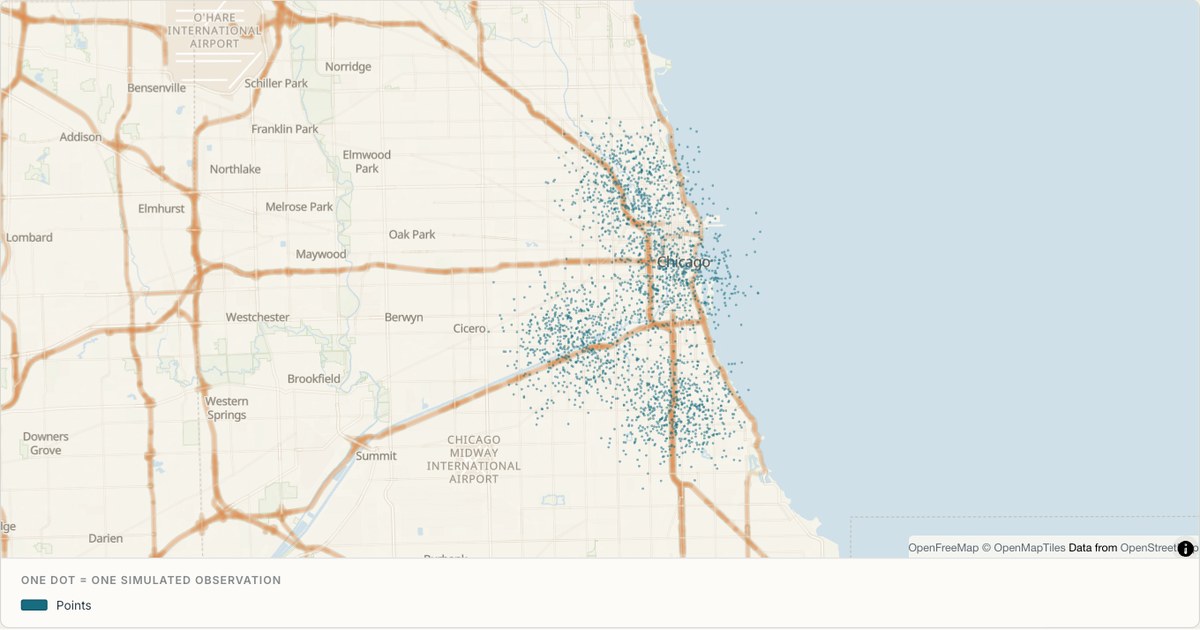 CSVDot density
Dot density across Chicago
Small translucent dots show the source observations themselves. Dense clusters become darker through overlap while isolated observations stay visible, offering a useful alternative to continuous smoothing or cell aggregation. Each dot is one synthetic record rather than a population conversion.
Open map →
heat map questions
- How do I make a smooth heatmap?
- Import point data, select the layer, choose Heatmap, then adjust its radius, intensity, opacity and weight field.
- Can I generate hexagons in the studio?
- Not currently. Import a prepared polygon grid with its values attached. The gallery grids are worked examples of this rendering approach.
- Is a heatmap the same as a choropleth?
- No. Smooth heatmaps blend points. Choropleths colour existing regions. Binned maps colour an analysis grid, which should be described separately.