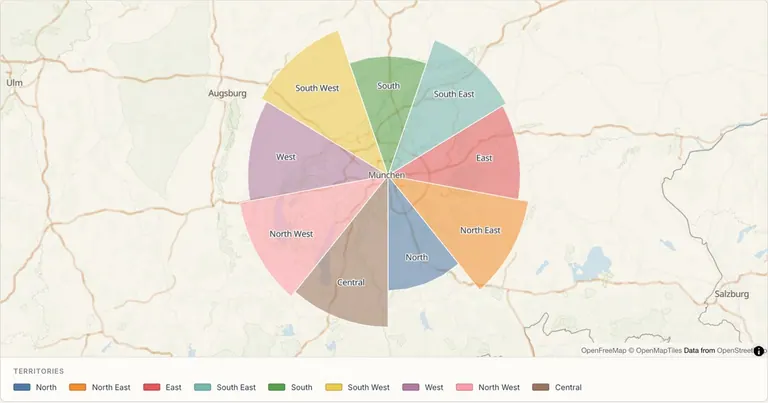
Map workflows

Explain your sales or franchise territory proposal.

Use real US county boundaries with editable sales or franchise assignments, add store points and prepare a proposal map. Explore US sales and Texas franchise examples.

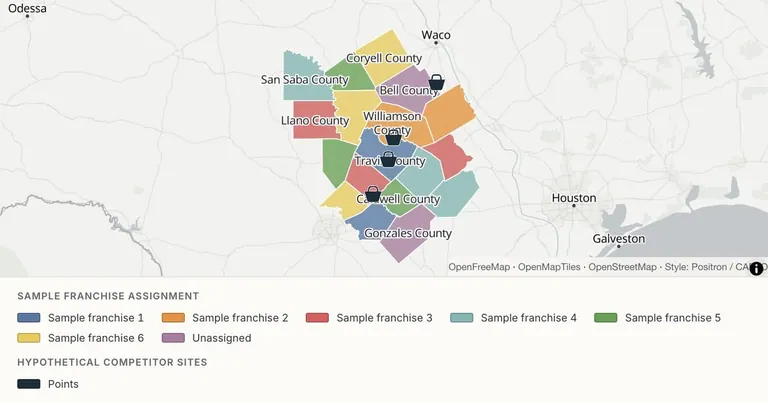
Present a Texas franchise territory proposal — Census counties · hypothetical franchise plan
Census counties · hypothetical franchise plan. Open the example to inspect its data and sources.
Who this is for

For sales operations, franchise development and multi-location businesses preparing a territory proposal or a coverage review.

What you will deliver

A map of your own geographic assignments, a matching legend, a separate location layer and a PNG or reviewed share link for the proposal.

Start with these inputs

  • GeoJSON polygons containing the county GEOID and your assignment field. Download the sample to keep county geometry with its attributes.
  • A separate CSV with names and coordinates for your own stores or other reviewed locations. The Texas competitor CSV contains hypothetical points only.
  • A clear definition of what an assignment means. County polygons and straight-line rings do not measure driving time, exclusivity or commercial availability.

Examples you can edit

Inspect the source and assumptions, then open the data in Studio and make it yours.

From your data to the finished map

  1. 01

    Choose the geographic starting point

    Open the Texas franchise or US county sales example. Both retain actual Census county geometry and stable GEOIDs; all business assignments are explicitly hypothetical.

  2. 02

    Replace the commercial assumptions

    Edit the assignment values in the downloaded GeoJSON using your data tool, then reimport it alongside your own location layer. Studio configures category fields and styles; it does not edit table cell values. Use independent layer switches to compare boundaries and sites without changing their stored coordinates.

  3. 03

    Share the reviewed proposal

    Keep the legend and data qualifications visible. Export a PNG for your deck or publish a map after reviewing every included field.

Current workflow boundaries

  • The editor styles supplied polygons. It does not draw contractual territories, join a bare GEOID-only sheet automatically, calculate road routes or generate drive-time areas.
  • No built-in population, footfall, competitive-market or sales-potential dataset is supplied with these business examples.
  • Real Census geometry is a cartographic snapshot. Sample franchise labels and competitor sites are not claims about actual companies or legal territory availability.

Common questions

Can I map sales territories by US county?
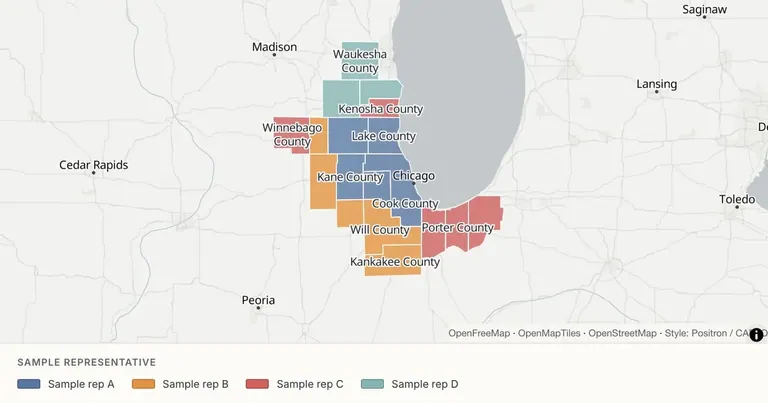
Yes. The US county sales example includes eighteen real counties across Illinois, Indiana and Wisconsin, with stable Census GEOIDs and hypothetical assignments to four representatives. Open it in Studio or download the GeoJSON and replace the assignment fields.
Does the Texas example show actual franchise territories?
No. Eighteen real Census county geometries carry hypothetical franchise assignments, including unassigned examples. The separate competitor sites are fictional points near city centers. They do not identify actual businesses, legal exclusivity or available territory.
Does MapCrafter calculate drive-time service areas?
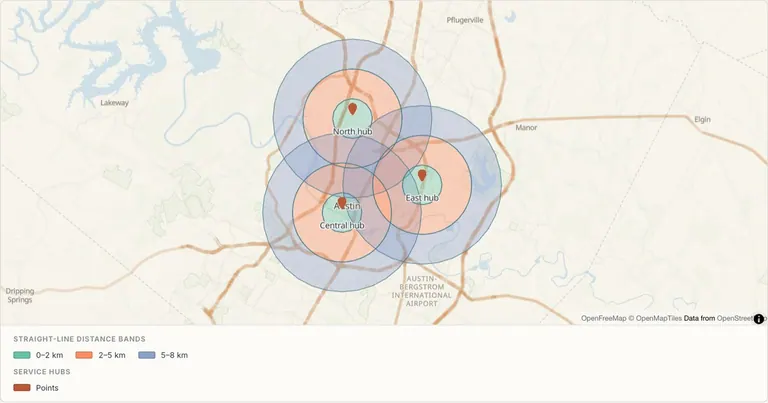
No. It can display polygons you supply and illustrative straight-line distance rings. Driving-time isochrones, road routing and network accessibility must be prepared elsewhere before import.
Can I import only a list of county GEOIDs?
A bare GEOID list does not contain polygon geometry. Start with the downloadable county GeoJSON, retain its geometry and edit its assignment fields, or prepare a joined polygon file in your own workflow before import.
Can I display stores independently from territory boundaries?
Yes. Use separate polygon and point layers. The Texas example includes county assignments and hypothetical competitor sites as independently switchable layers. Import your own coordinate CSV to replace the sample points.
Is this workflow available for free?
The current editor is free. The examples use a free vector basemap. Satellite imagery, Globe and map DEM terrain require Pro, and paid subscriptions are still planned. This page does not offer checkout or promise future plan limits.
What is included in a published link?
Anyone with the link can view the published map and its included feature data. Remove confidential fields before publishing. Saving without publishing keeps a map out of the public viewer. Team workspaces, password-protected links and version-history browsing are not currently available.