Map workflows

Build a site-context figure from data you can trace.

Explore real OSM transit, education, park and retail snapshots in Portland and Seattle. Toggle layers, inspect source records and edit a report map in Studio.

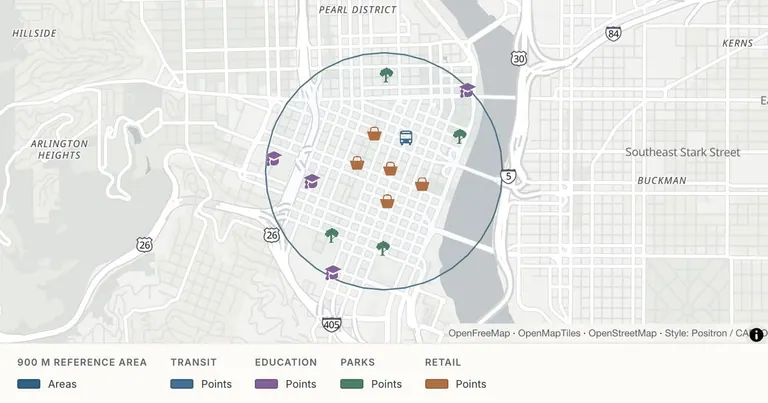
Explore a Portland site context — Public OSM POI snapshot · four context categories
Public OSM POI snapshot · four context categories. Open the example to inspect its data and sources.
Who this is for

For architects, planners, students and consultants who already have a question and need a readable context map for a report or design conversation.

What you will deliver

A site-context map with independently switchable public POI categories, source records and dates, plus a PNG figure for a report, poster or deck.

Start with these inputs

  • A reference coordinate and a clear study extent. The examples use a 900 m straight-line circle around a reference point, not a proposed or approved development site.
  • Reviewed POI or site data in GeoJSON or CSV with coordinates. The public snapshots include names, categories, OSM record links and source dates.
  • Your own verified measurements or boundaries for any analytical claim. The public POI examples are contextual references, not a complete survey.

Examples you can edit

Inspect the source and assumptions, then open the data in Studio and make it yours.

From your data to the finished map

  1. 01

    Review the snapshot and study extent

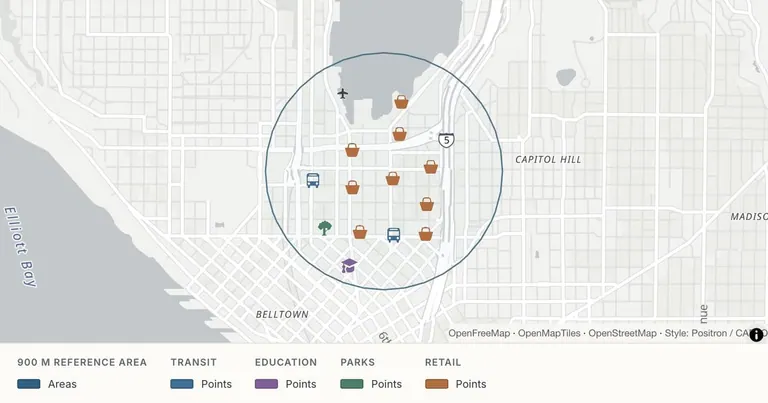
    Open the Portland or Seattle context example. Inspect the data note, source record links and dates. The downloadable data is a selected, incomplete snapshot of named features.

  2. 02

    Compare the context layers

    Toggle transit, education, parks and retail independently. Add your own reviewed data in Studio, then choose a framing and basemap suited to the question.

  3. 03

    Prepare the report figure

    Check names, units, legend and source notes. Export PNG at 1×, 2× or 3×, and download GeoJSON when you need the underlying feature data.

Current workflow boundaries

  • Selected OSM POIs are not a complete or current directory. Area features are represented by approximate bounding-box centers; source geometry and dates should be checked for your project.
  • The reference circle is straight-line distance, not an 800 m walkability claim, road-network service area or planning conclusion.
  • The current export is PNG and GeoJSON. PDF/SVG, CAD output and a complete professional print-layout system are not offered. Map view controls are not a guarantee of survey-grade delivery.

Common questions

Are the Portland and Seattle locations real?
Yes. The context layers use selected public OpenStreetMap features, with each feature’s public OSM identity and a source snapshot or retrieval date. The layers are capped for legibility and are not complete directories. Area features use approximate bounding-box centers.
What are the layers in each site-context example?
Four independent POI layers show transit platforms, education locations, parks and retail. A fifth layer shows a 900 m straight-line reference circle. You can toggle each category independently or open all the layers in Studio.
Is the reference circle a walking catchment?
No. It is a derived straight-line 900 m reference area around a coordinate. It does not model roads, crossings, travel time, opening hours, access permissions or the suitability of a development site.
Can I use the maps in a thesis or architecture report?
You can use the PNG figure and underlying data with the required source attribution, after checking that the data and method fit your project. The current exporter offers PNG at 1×, 2× and 3× and GeoJSON. It does not offer PDF, SVG, CAD or a professional print-layout system.
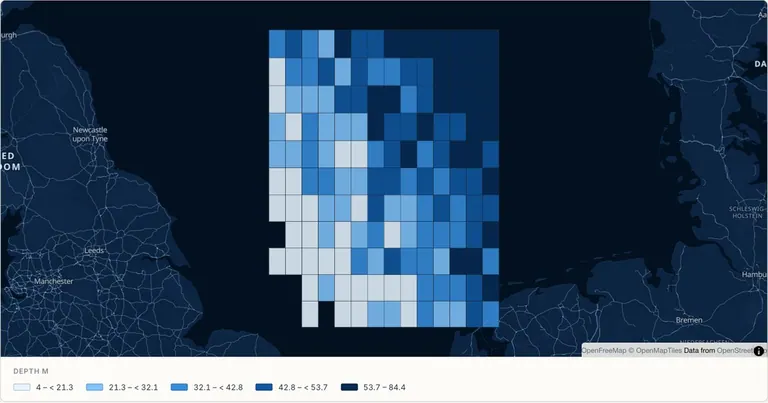
Why is a North Sea grid included?
It is a separate, explicitly simulated survey-layout example showing how measurements can be presented as a report figure. It is not real bathymetry and is not one of the public Portland or Seattle POI snapshots.
How do I retain the data sources?
The downloadable context GeoJSON and CSV retain source_url, source_date and category fields. Keep OpenStreetMap contributor credit and the ODbL 1.0 license with redistributed data. Check the original source records before using the figure for a project decision.
Is this workflow available for free?
The current editor is free. The examples use a free vector basemap. Satellite imagery, Globe and map DEM terrain require Pro, and paid subscriptions are still planned. This page does not offer checkout or promise future plan limits.
What is included in a published link?
Anyone with the link can view the published map and its included feature data. Remove confidential fields before publishing. Saving without publishing keeps a map out of the public viewer. Team workspaces, password-protected links and version-history browsing are not currently available.